


What is east-tec SafeBit?
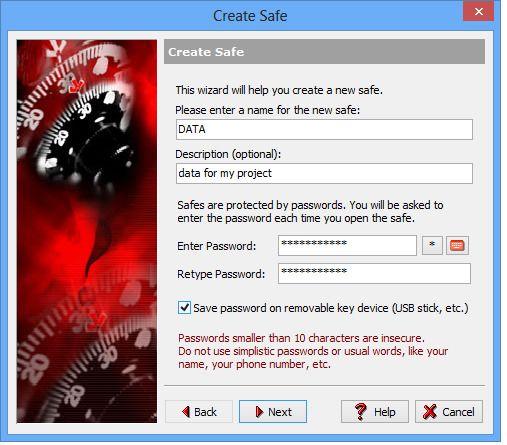
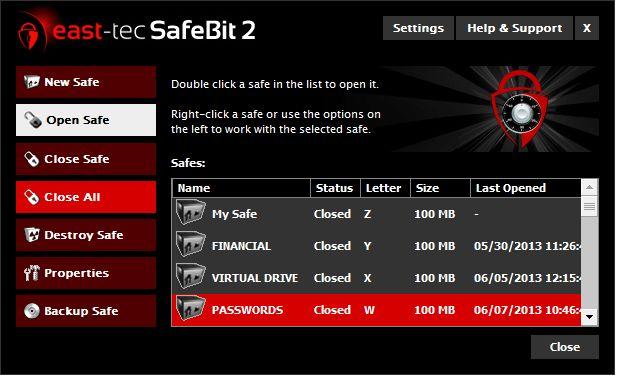
east-tec SafeBit is a comprehensive electronic vault solution that provides robust data protection for your sensitive files and folders. Leveraging powerful AES encryption, the software enables you to create virtual encrypted disk drives where you can securely store and access your confidential information. The on-the-fly encryption and decryption process is entirely transparent to the user, ensuring a seamless workflow With east-tec SafeBit, you can create safes on various storage mediums, including local or external hard drives, USB devices, optical discs, and even network locations. These safes can be configured with different access modes, such as full rights or read-only, to suit your specific needs. The application also allows you to save passwords on removable media, which can be used as a key to unlock your safes, further enhancing the security of your data The software offers extensive customization options, enabling you to change the name, description, drive letter, password, and size of your safes. Additionally, you can set safes to automatically open on Windows startup, ensuring immediate access to your protected data. The robust security features of east-tec SafeBit also include protection against accidental deletion of container files and an automatic closure system with emergency hotkeys to safeguard your information even in the event of an incorrect system shutdown or a system crash To mitigate the risk of keylogging threats, east-tec SafeBit provides a virtual keyboard for password entry, effectively preventing the capture of your login credentials. The software is designed to be a complementary solution to your existing firewall and antivirus programs, serving as the last line of defense in case these defenses fail
Highlights
- On-the-fly AES encryption for secure storage of files and folders
- Creation of virtual encrypted disk drives on local, external, or network storage
- Customizable access modes (full rights, read-only) for safes
- Password-protection with the option to save passwords on removable media
- Automatic opening of safes on Windows startup
- Protection against accidental deletion of container files
- Automatic closure system and emergency hotkeys for data security
Features
AES Encryption