
What is Easy Calendar?
Introducing Easy Calendar, the intuitive and efficient way to manage your daily schedule on the go. Designed with the user's needs in mind, this calendar app offers a seamless experience that streamlines the process of creating and editing events, allowing you to stay organized and on top of your commitments.
Highlights
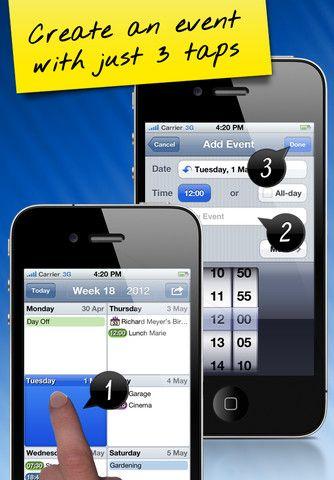
- Streamlined event creation and editing: Create new events with just 3 taps, and edit existing events with only 2 taps, significantly reducing the time and effort required compared to other calendar apps
- Responsive week "swipe" navigation: Easily navigate through your weekly schedule with a smooth, responsive swiping motion, providing a natural and intuitive user experience
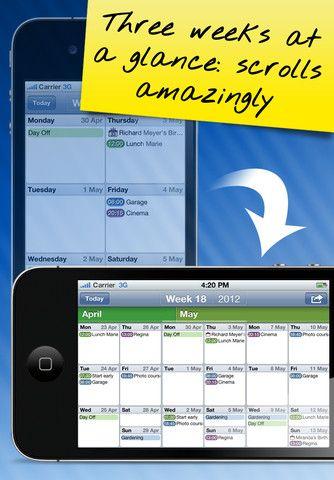
- Versatile calendar views: Enjoy the unique three-week landscape view with a continuous-scrolling effect, as well as a half-year calendar view for planning longer-term events, such as holidays
- Seamless integration and synchronization: Fully integrate with the native iPhone calendar and synchronize with popular platforms like iCloud, MobileMe, Outlook, and Google Calendar.
Platforms
- iPhone
Languages
- English
- Dutch
- French
- German
- Spanish
Features
Planner