


What is Helppier?
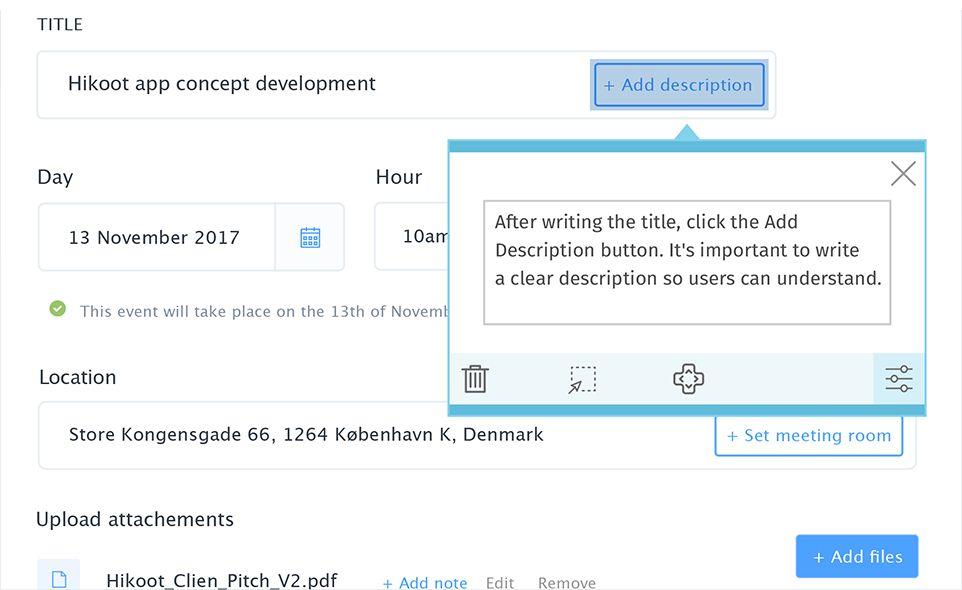
Guide users anywhere, anytime. Help users navigate on your online platform, combining interactive user guides with everyday productivity tools. Revolutionize user experience with in-app messages that work 24/7, on any device. Helppier is a UX tool that allows creating interactive user guides for web platforms, without any coding. With Helppier you can create product tours, integrate everyday tools such as FAQs and Docs, and even track performance. Build a help center without leaving your website. Use in-app tutorials and contextual tooltips to prevent frustration and ensure users are on the right path. With Helppier, first-time users can learn and interact with your platform at the same time. Provide a self-service tool for your customers, where they can find all the information they need without having to contact your team. Train employees through interactive tours, instead of hiring instructors to do it. Teach employees how to use internal platforms and give them more autonomy to check/follow instructions every time they need. The solution is simple: if online users (customer or employees) are lost on a website, platform or web app, with Helppier, they can access the information they need right when need it, before contacting support. Helppier is a UX tool that allows creating interactive user guides for web platforms, without any coding. It allows creating product tours and contextual tooltips, integrating Knowledge Bases, and even tracking performance. Build a help center without leaving your website. A customer experience tool that allows to create interactive user guides, on-page support content and onboarding messages without coding required. Not only can companies create step-by-step tutorials to guide online users through any page of a website or web application, but also monitor their behavior, create on-product messages and receive feedback. All this without ever leaving a website/product
Highlights
- Interactive user guides for web platforms without coding
- Create product tours, integrate tools like FAQs and Docs
- Track performance and build a help center within a website
- Use in-app tutorials and tooltips to guide first-time users
- Provide self-service support for customers
- Train employees through interactive tours on internal platforms
Features
User experience
Employee training
Customer service
Employee onboarding