
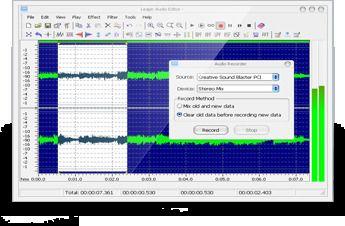
What is Leapic Audio Editor?
Leapic Audio Editor is a comprehensive audio editing tool that offers a diverse range of functionalities. This application serves as a versatile solution for audio editing, conversion, recording, playback, splitting, and joining tasks. Users can seamlessly navigate through a full suite of audio editing features, including the ability to copy, cut, paste, and mix various portions of audio files. The software further empowers users to apply an array of effects, such as Amplify, Fade In, Fade Out, Delay, Reverse, and Noise Reduction, to their audio files. Leapic Audio Editor supports a wide range of audio formats, including MP3, WMA, WAV, OGG, VOX, and RAW, allowing for direct editing of these files
Highlights
- All-in-one audio editing capabilities, including editing, converting, recording, playing, splitting, and joining audio files
- Comprehensive set of audio editing features, such as copying, cutting, pasting, and mixing audio segments
- Availability of various audio effects, including Amplify, Fade In, Fade Out, Delay, Reverse, and Noise Reduction
- Support for a diverse range of audio formats, including MP3, WMA, WAV, OGG, VOX, and RAW
Platforms
- Windows
Languages
- English
Features
Audio Recording
Audio Conversion