What is Stack?
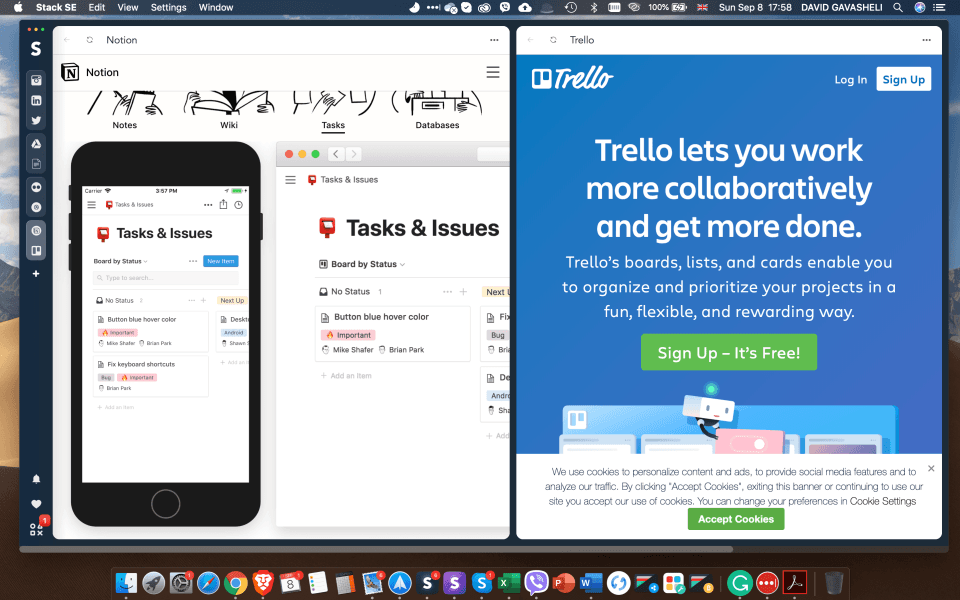
Stack is an innovative platform that revolutionizes the way individuals interact with the web. It offers a seamless and efficient solution for managing multiple web applications within a single, immersive interface. The platform's core function is to consolidate a user's diverse online activities, empowering them to access and utilize various web-based tools and services simultaneously. By providing a split-screen view, Stack enables users to work on multiple tasks concurrently, fostering increased productivity and streamlined workflows One of the standout features of Stack is its ability to unify a user's digital landscape, allowing them to effortlessly switch between different web applications without the need to constantly toggle between tabs or windows. This cohesive approach enhances the overall user experience, making it easier to manage projects, collaborate with others, and stay organized in the digital realm Furthermore, Stack's intuitive organization system helps users maintain a structured and efficient workspace, regardless of the devices they use or their location. Whether it's managing social media accounts, collaborating on projects with friends, or simply browsing the web, Stack provides a comprehensive solution that adapts to the diverse needs of modern digital users Committed to delivering a seamless and supportive experience, the Stack team is dedicated to providing round-the-clock assistance to users through various channels, including live chat and email. This level of customer support ensures that any technical challenges or questions are addressed promptly, allowing users to maximize the platform's capabilities without interruption
Highlights
- Simultaneous use of multiple web applications within a split-screen view
- Unified interface for streamlined access to various online tools and services
- Intuitive organization system for maintaining a structured digital workspace
- Cross-device compatibility and accessibility from anywhere
- 24/7 customer support for immediate assistance with any technical issues
Platforms
- Desktop Windows
- Web
- On-Premise Linux
- Desktop Linux
- Mobile iPad
- On-Premise Windows
- Desktop Chromebook
- Mobile iPhone
- Mobile Android
- Desktop Mac
- Cloud, SaaS, Web-based
Languages
- English
- Georgian