


What is Swift Selection Search?
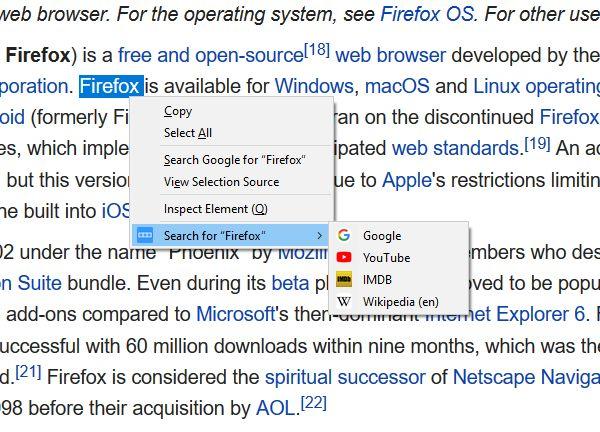
Swiftly access your search engines in a popup panel when you select text in a webpage. Context menu also included! Swift Selection Search (SSS) is an add-on that enables quick searching for selected text in a page using your favorite search engines. Simply select some words on a page and a small popup box with search engine options will appear above your cursor. Press one and you'll automatically search for the selected text using that engine. SSS offers extensive customization options. Users can define which search engines appear on the popup, the appearance of the icons, what happens when you click them, where the popup appears, whether or not to hide it when the page scrolls, auto copy text on selection, and many more preferences. An optional context menu for searching with any of your engines is also available. Alternatively, users can disable the popup itself and leave only the context menu
Highlights
- Popup panel for quick access to search engines when text is selected on a webpage
- Configurable search engine options and appearance
- Context menu for searching with preferred engines
- Flexibility to disable popup and use only context menu
Features
Search Bar